A calm place to write, sketch, and publish — on your own disk.
Writing Studio is a local-first writing environment for people who think in Markdown,
diagrams, and annotated papers. Write an article, draw the architecture beside it,
mark up a PDF, keep private notes in a real folder tree, and build a static blog —
all from one quiet interface.
There is no account, no cloud, no database, and no telemetry. Your writing stays as
plain files on your disk. The only network calls are the ones you make yourself:
an AI provider you configure with your own key, and the fonts used by built articles.
Node.js 20.11+
Linux · macOS · Windows
100% local
MIT licensed
Inside the studio
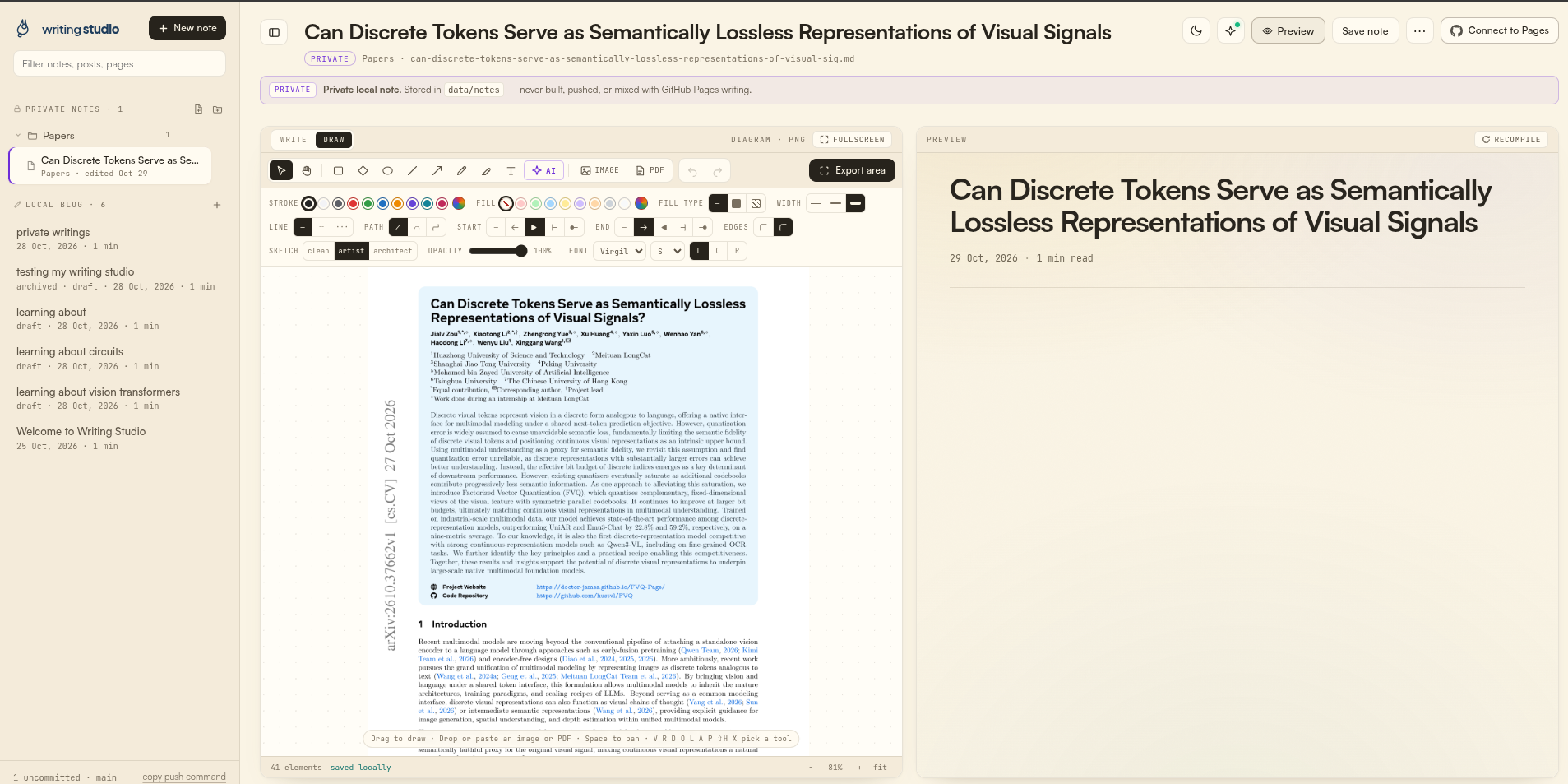
One window for the article, the diagram beside it, and the rendered preview —
with private notes and the local blog in the same sidebar.
Editor, annotated paper, and live preview in one window
Click to zoom
Run it
Pick one. Each command starts a local server on
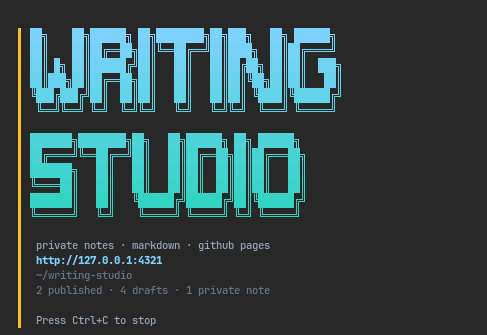
http://127.0.0.1:4321 — if that port is busy it tries 4322, 4323, and
so on, then prints the address it settled on. Open that address in your browser.
What npm start prints
Click to zoom
Try it without installing
recommended
Install nothing permanently — npm runs the package and keeps your writing in the folder you pass.
npx writing-studio ~/writing
Windows PowerShell:
npx writing-studio "C:\Users\me\writing"
Before the npm release, run the same thing straight from GitHub:
npx github:habibsnippets/writing-studio ~/writing
From source
best for reading the code
Your writing lives in the repository folder when you run it from a clone.
git clone https://github.com/habibsnippets/writing-studio.git
cd writing-studio
npm install
npm start
Prefer a different port?
PORT=5000 npm start on macOS/Linux, or
$env:PORT=5000; npm start in PowerShell.
Point it at any folder — Dropbox, iCloud, a Git repository. The app itself is
read-only inside node_modules; only the folder you pass receives your writing.
Command-line options
writing-studio [folder] [options]

  -d, --dir <folder>   Where writing is stored (default: current folder)
  -p, --port <number>  Port to start on
      --light/--dark   Terminal banner colour
  -h, --help           Usage
  -v, --version        Version
The first start
Writing Studio creates its store in the folder you chose and seeds a generic
“Welcome to Writing Studio” article, so the studio opens with something to read.
Nothing is ever overwritten.